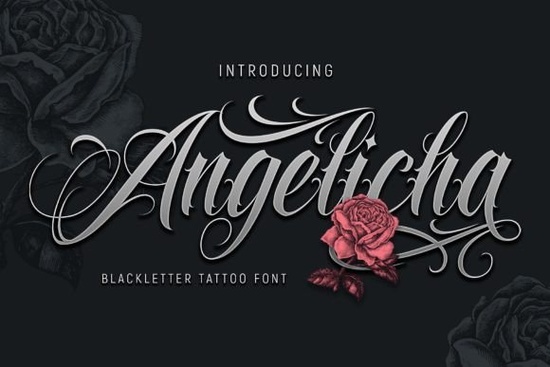
Choosing the right typeface is often the difference between a design that feels professional and one that looks forgettable. The Angelicha Font is a contemporary blackletter tattoo font that brings a strong, handcrafted feel to any project. It's designed specifically for logos, t-shirt graphics, posters, and brand identity work. If you need a font that stands out without being difficult to read, this is a great option to try out for your next design project.
What makes a font a "contemporary blackletter"?
Traditional blackletter fonts are based on medieval handwriting. They look authentic but can be very dense and hard to read at small sizes. A contemporary blackletter, like Angelicha, keeps the classic gothic structure thick vertical strokes and sharp angles but adds modern spacing and cleaner curves. This makes it much more versatile. It works for branding, apparel, and even digital use without looking like it belongs in a history book. It's a way to use a historic style without sacrificing modern readability.
How can I use it for branding or small business projects?
Angelicha fits perfectly into a wide range of projects. For small business owners, using a bold font like this on your storefront or social media is an easy way to build a strong visual identity without hiring a big agency. Consider using it for:
- Barbershop or salon logos: It has that classic, sharp aesthetic that feels timeless.
- Apparel branding: Great for neck tags, sleeve prints, or all-over designs.
- Music or event posters: It carries a lot of energy and attitude, perfect for concert flyers.
- Flyers: It grabs attention quickly, which is exactly what a flyer needs to do in a crowded space.
Because it's built for these exact uses, you can add it to your toolbox with confidence. If you enjoy this style, you might also find that the Blinks Shake Font offers a slightly more rough, distressed look for projects that need an underground feel.
Is it suitable for print-on-demand (POD) sellers?
Yes. The Angelicha Font is a strong choice for POD because it's designed to be bold and legible. Tattoo-style fonts are consistently popular on platforms like Redbubble, Etsy, and Teespring. This font captures that authentic tattoo flash sheet feel while still being clear enough for a small print on a t-shirt or hoodie. If you're creating a design series around gothic, rock, or streetwear vibes, adding this font to your toolkit is a smart move. It handles well on different mockups and keeps its shape even when printed on fabric or curved surfaces like mugs.
Can beginners use this font easily?
Absolutely. Installing and using Angelicha is as simple as any standard font file. It's fully worked out, so you don't need to adjust anything technical to make it look good. The main thing to experiment with is spacing called kerning in design software. Because blackletter fonts have such distinct shapes, giving them a little extra space between letters can sometimes make them more legible, especially for shorter words or logos. Play around with it in Canva, Photoshop, or Illustrator to see how it behaves at different sizes. It's forgiving and looks polished right out of the box.
What colors and pairings work best with it?
Angelicha pairs naturally with dark, rich colors. Charcoal, burgundy, deep green, and classic black let the font's details shine. For backgrounds, off-white or kraft paper textures give it a vintage, hand-printed feel.
For font pairings, keep it simple. Use a clean sans-serif like Helvetica or Montserrat for body text or secondary information. This contrast creates a balanced hierarchy: the blackletter grabs attention, while the sans-serif makes the information easy to digest. If you're looking for something with a bit more decoration, the Scarlet Holmes Font is another interesting blackletter option that includes more flourish, which can be great for specific decorative headers.
Your next step to using Angelicha in a real project:
- Download the Angelicha Font and install it on your system.
- Open your preferred design tool and type your brand name or a short phrase.
- Try it in black on a white background, and then invert it white on a dark background.
- Pair it with a simple sans-serif font to see the contrast.
- Save the combination and use it consistently across your social media, website, or product mockups.
Consistency is key in building a recognizable brand, and starting with a strong, versatile font like Angelicha sets you on the right path.
Download Now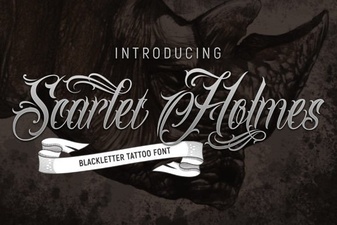 Scarlet Holmes: Modern Victorian Font Style
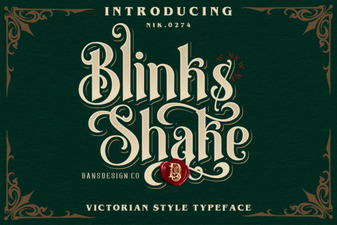 Creative Ideas for Using the Blinks Shake Font
 Crafting a Distinctive University Font Library
 Chalkboard Fonts for Creative Design Projects
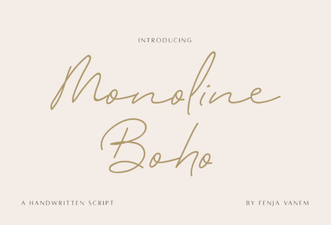 Monoline Boho Font Free Download
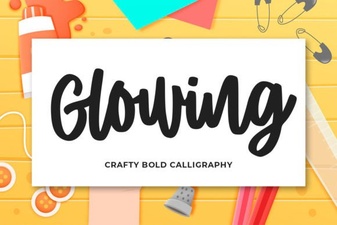 Craft Elegant Glowing Fonts for Your Designs