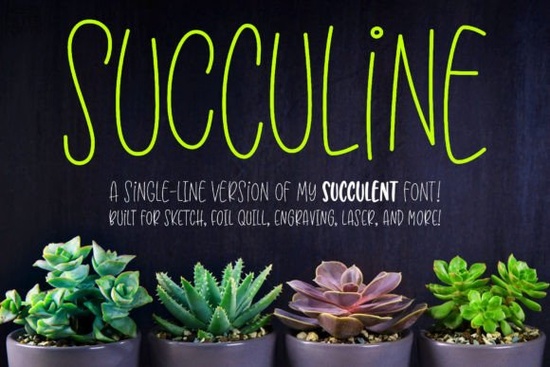
If you work with a Glowforge, Cricut, or Silhouette, you’ve probably run into a frustrating problem: most fonts draw outlines, not single lines. That makes them useless for sketch pens, foil quills, or laser engraving. That’s where Succuline (single Line) Font comes in. It’s a single-line version of the popular Succulent font, built specifically for tools that draw one continuous stroke.
How does Succuline work with laser engravers and sketch pens?
Unlike regular fonts that create filled outlines, Succuline uses a single stroke. This makes it compatible with Glowforge laser engravers, Cricut and Silhouette sketch pens, foil quills, infusible ink pens, and embossing tools. Because the font is designed as a true single line, the tool follows the path exactly without doubling back or creating thick outlines.
The font comes in two formats: a single-line version and a hairline version. Different software programs handle these formats differently, so you can download both and choose the one that works in your application. The included PDF guide helps you pick the right format and walks through setup in popular programs.
What’s the difference between the single-line and hairline versions?
Single-line fonts produce a uniform stroke width regardless of scale. Hairline fonts also draw a thin line, but the stroke may appear thinner or thicker depending on your software settings. If you’re not sure which you need, the easiest approach is to install both and test them. The guide explains which format prefers which software, so you’re not left guessing.
Can I use Succuline in vector programs?
Yes. Succuline works in Adobe Illustrator, CorelDRAW, Affinity Designer, Inkscape, and similar vector editors. The trick is to apply a stroke (not a fill) to the text, then expand the text to outlines. Once it’s outlined, you can adjust the stroke weight and send the file to your laser engraver or plotter.
All characters are OpenType coded and PUA-encoded, so accessing alternates and special glyphs is straightforward in most design software.
What type of projects work best with Succuline?
This font is ideal for any project that requires a continuous line. Think:
- Laser engraved signs on wood or acrylic
- Sketch pen cards for Cricut or Silhouette
- Foil quill designs on paper or cardstock
- Infusible ink transfers on mugs or coasters
- Embossed labels with a stylus or embossing machine
The bouncy double-uppercase letters give the finished piece a casual, hand-drawn feel. Because it’s single-line, the results look clean and deliberate rather than filled or bulky.
Which other single-line fonts pair well with Succuline?
If you like the style of Succuline, you might also enjoy other script fonts built for single-line use. For example, the playful Milestone Font works great for shorter words or accent text. Another option is the whimsical Bunny Font, which shares a similar hand-drawn energy. For a more elegant look, try Samantha Script Font it’s also designed with single-line compatibility in mind. If you need a clean baseline for modern designs, Baseliner Font offers a steady alternative. And for something sweet and casual, Sweet Baby Font pairs nicely with Succuline’s bouncy letters.
Each of these fonts can be used with sketch pens, foil quills, and engraving tools once you apply the correct stroke settings. Just remember to test the format in your specific software before starting a large run.
What should I know before buying a single-line font?
Single-line fonts are not designed for word processing, printing, or cutting. They will look strange in the font previewer that’s normal. The letters appear as thin, barely visible strokes until you apply a stroke and send them to your device. Make sure you understand how your machine interprets single-line files. The PDF guide included with Succuline covers specific steps for Cricut Design Space, Silhouette Studio, LightBurn, and other popular programs.
Practical checklist for using Succuline
- Install both the single-line and hairline versions.
- Open your design software and type your text.
- Apply a stroke (not a fill) start with a weight of about 0.5 mm.
- Expand the text to outlines (in vector programs).
- Test the file on scrap material before your final piece.
- Use the PDF guide to confirm format selection.
Once you get the hang of single-line fonts, you’ll find they open up a whole range of possibilities for custom laser work, foil cards, and hand-drawn looking projects. Succuline gives you a bouncy, playful style that works especially well for gift tags, signs, and personalized decor. Succuline Font is available now on Creative Fabrica, along with the other script fonts mentioned above. Milestone Font, Bunny Font, Samantha Script Font, Baseliner Font, and Sweet Baby Font are also great additions to your toolkit.
Try It Free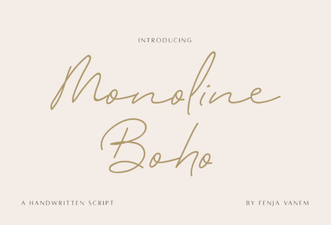 Monoline Boho Font Free Download
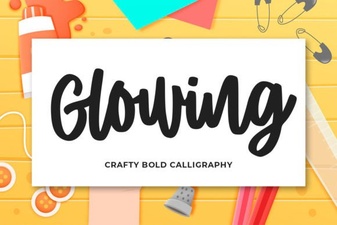 Craft Elegant Glowing Fonts for Your Designs
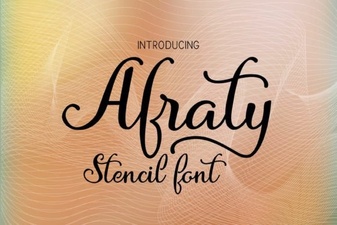 Design Bold Ideas with Afraty Stencil Font
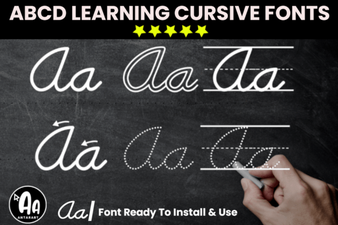 Creative Font Bundle for Cursive Tracing Worksheets
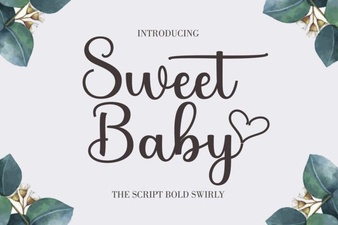 Sweet Baby Font: Perfect for Family Projects
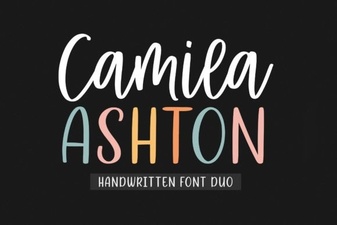 Camila Ashton Font: Free Download & Creative Uses