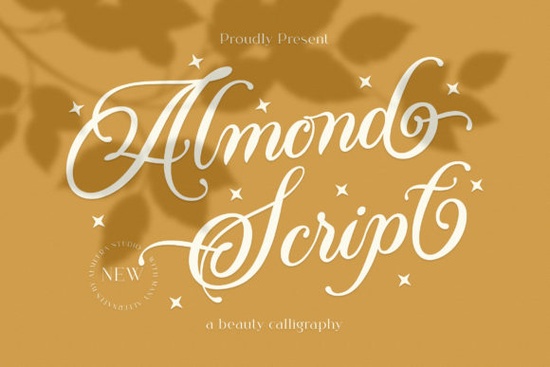
Thin script fonts can be tricky to get right. You want something elegant that still reads well at smaller sizes, and you need access to those special swashes and alternate characters without jumping through hoops. The Almond Script Font fits that sweet spot nicely – it’s a thin, graceful script with a light touch that works for everything from wedding invites to social media quotes. Let’s walk through what makes it useful and how you can put it to work in your next project.
What Can You Create with a Thin Script Font Like Almond Script?
Because the strokes are delicate and airy, Almond Script shines in designs that need a sense of refinement. Think lookbooks, branding for boutiques, or packaging for beauty products. Its thin letters leave plenty of breathing room, so it pairs well with chunky sans-serif fonts or even other scripts that have more weight.
Here are a few specific uses that designers and crafters often turn to:
- Wedding stationery – save-the-dates, invitations, and thank-you cards benefit from that light, romantic feel.
- Logo concepts – especially for brands that want to communicate elegance or handmade quality.
- Print-on-demand products – mugs, T‑shirts, tote bags with short quotes look polished without being overwhelming.
- Social media graphics – Instagram stories or Pinterest pins using Almond Script draw the eye without shouting.
If you’re building a set of go-to script fonts, you might also enjoy the Succuline Single Line Font for a clean, monoline look, or the Samantha Script Font if you need a bolder alternative with more flourishes.
Is Almond Script Font Easy to Use in Design Software?
Yes – and the fact that it’s PUA encoded makes a huge difference. PUA (Private Use Area) encoding means you can type out a word and then swap in swashes, ligatures, and alternate glyphs directly from the Character Map or your software’s glyph panel. No need for complicated workarounds.
You can use Almond Script in:
- Adobe Illustrator and Photoshop – full glyph access via the Glyphs panel.
- Silhouette Studio – great for crafters who want to cut vinyl lettering.
- Cricut Design Space – works the same way; just install the font and open the special characters panel.
- Canva – upload the font and use it in your designs, though some advanced glyphs may require copy-pasting from a character map app.
No matter which software you prefer, the thin strokes of Almond Script look clean and crisp, even at larger sizes. Just remember that very small text (below 12pt) can become hard to read, so reserve it for headlines and short phrases rather than body copy.
How Does Almond Script Compare to Other Script Fonts?
Almond Script walks a fine line between casual and formal. It’s not as playful as a brush script, nor as rigid as a copperplate calligraphy font. The letters are connected naturally, but the thin weight keeps it from feeling heavy.
For comparison, if you need a script with more contrast and a slightly retro vibe, take a look at the Camila Ashton Font. It has a similar elegance but with a bit more bounce. And if you want something more organic with a flower-inspired touch, the Sunshine Flower Font adds decorative petals to the letters – great for scrapbooking or labels.
Because Almond Script is PUA encoded, you get a full set of alternate letters and swashes. That means you can create a custom look every time you use it, avoiding the “same font, same look” problem that plagues many script fonts.
Where to Find Almond Script Font and Similar Styles
Creative Fabrica is a solid place to pick up this font, along with hundreds of other script options. You can get Almond Script as a single purchase or as part of a subscription. If you’re shopping around, you may also want to check out the Afraty Stencil Font – it’s a different category (stencil), but it pairs surprisingly well with thin scripts for a modern contrast.
When searching for similar fonts, look for keywords like “thin script,” “delicate calligraphy,” or “elegant swashes.” Many PUA-encoded fonts in this style also include alternate tails and loops, so you can mix and match to avoid repetition.
Before You Download
If you’re ready to use Almond Script in your next project, here’s a quick checklist to make sure everything goes smoothly:
- ☐ Install the font on your computer (double-click the .otf or .ttf file and click “Install”).
- ☐ Open your software and type a test word.
- ☐ Use the glyph panel to replace default letters with swashes or alternates for a handcrafted look.
- ☐ Pair it with a simple sans-serif font like Montserrat or Open Sans for balance.
- ☐ Save your project file before exporting, in case you need to tweak the glyphs later.
Almond Script gives you that graceful, thin-lettered style without the headache of missing characters. Give it a try on a small project first – you’ll quickly see how its light touch can elevate your designs.
Learn More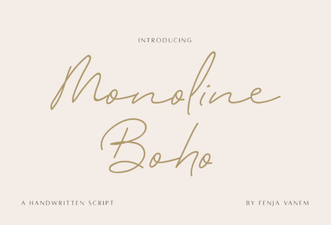 Monoline Boho Font Free Download
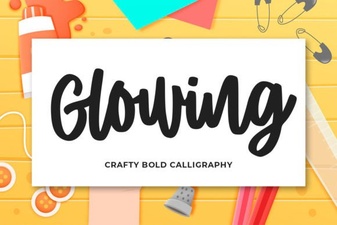 Craft Elegant Glowing Fonts for Your Designs
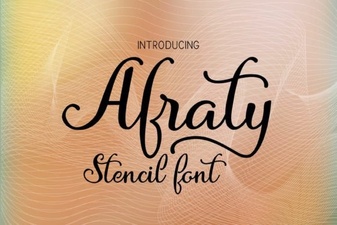 Design Bold Ideas with Afraty Stencil Font
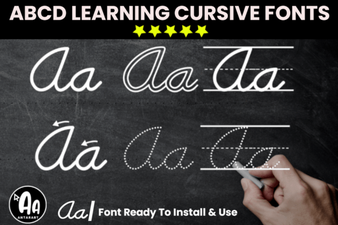 Creative Font Bundle for Cursive Tracing Worksheets
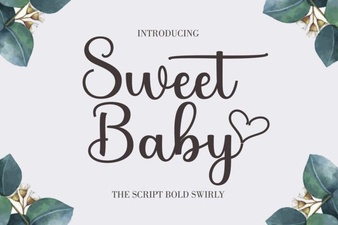 Sweet Baby Font: Perfect for Family Projects
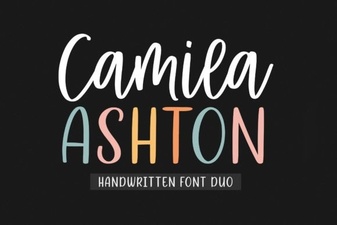 Camila Ashton Font: Free Download & Creative Uses